

Battery decision guide
Is an Old Apple Watch Battery Worth Replacing? A Reuse Decision Guide
Compare service, lighter reuse, passing it on, trade-in and recycling with one practical test.
Battery replacement can be worthwhile when the Watch still supports the apps you need, its display and controls are sound, and Apple or an authorized provider offers service at a cost you accept. A Watch with shorter runtime may still suit brief music, timer or remote-control sessions. Severe damage, unsupported software or unsafe battery symptoms point toward service assessment or responsible recycling.
Measure the problem before choosing a solution
“The battery is bad” can describe several different situations. The Watch may need charging before dinner, lose power quickly during a workout, shut down in cold weather, or drain after a software update. Each pattern leads to a different decision. Begin with a controlled test instead of judging from one unusually busy day.
Charge the Watch fully with a known-good charger. Install compatible updates, restart it, and use it for the role you care about. Record the starting time, ending time and battery percentage. Repeat the test once. Apple provides Battery Health information on supported Apple Watch models under Settings → Battery → Battery Health, including a maximum-capacity estimate and service messages where available.
Use runtime, condition and role together
A capacity percentage is one signal. Your decision also depends on physical condition, software support, the length of the intended session, repair availability and the value of keeping another device in service. A Watch that falls short of all-day wear may still cover a forty-minute walk or an evening as an Apple TV remote.
| What you observe | Best next step | Why |
|---|---|---|
| Stable operation and enough runtime for the intended task | Reuse it now | A short, focused role may fit the battery as it is. Set a regular charging place and test the routine for a week. |
| Runtime is too short, while the Watch is otherwise useful and service is available | Compare battery service | Fresh service can make sense when the model, software and functions still meet your needs. Obtain a current estimate for the exact device. |
| The Watch works, but the role is occasional | Keep it as a remote, music player, timer or backup | Brief sessions place less demand on the battery than all-day wrist wear. |
| The Watch is useful to another person and can be prepared safely | Pass it on | Erase it, remove Activation Lock and confirm that the recipient’s iPhone, region, carrier and intended features meet Apple’s requirements. |
| Trade-in value is available and you prefer a credit | Trade it in | Value and eligibility vary by device and condition. Get a current quote rather than assuming a fixed amount. |
| Swelling, separation, impact damage, liquid damage or no viable next use | Seek service guidance or recycle responsibly | Damaged lithium-ion batteries require careful handling. Use Apple or a qualified electronics recycling route. |
Test a lighter second life
All-day wear is one of the hardest jobs for an aging battery. A focused device works in shorter windows and returns to the charger between sessions. This can extend the Watch’s useful life without pretending that its battery performs like a new one.
Download a playlist, connect Bluetooth headphones and test the full route. Offline playback depends on the service, subscription, storage and completed download.
Use the Watch near its paired iPhone to frame, focus and trigger a group photo. The session is brief and easy to charge for in advance.
Keep the Watch charged near the sofa and use Apple’s Remote app with compatible devices on the same network.
Choose a simple face with timers and reminders. Keep the charger away from heat, liquid and food-preparation hazards.
Reduce background demands for the focused role. Remove unneeded apps, limit notifications, choose a simple face, and disable features that have no purpose in that setup. Changes can alter battery use, although results vary by model, battery condition, software, network and usage.
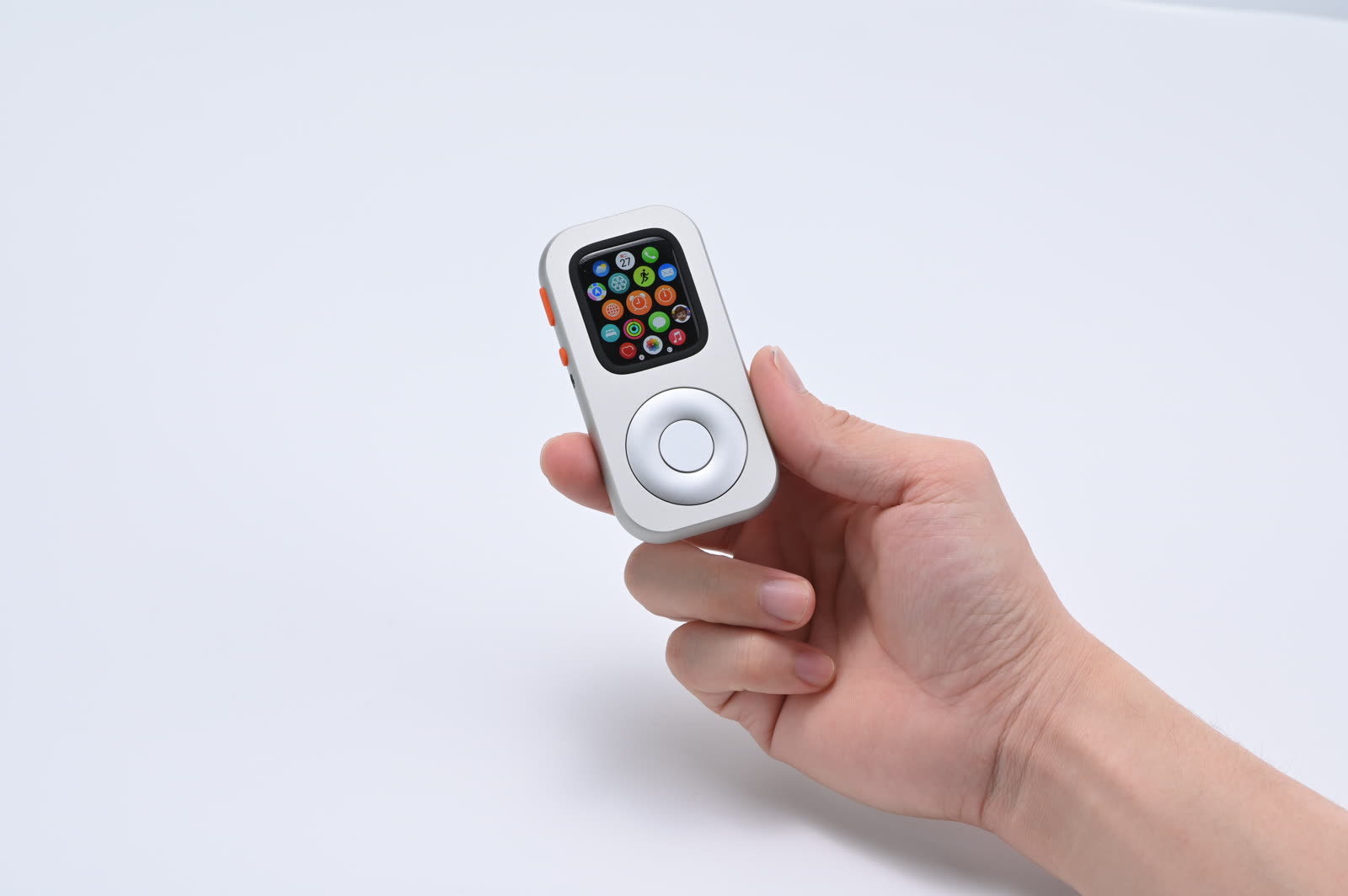
If you place a compatible Watch in RePod, the battery remains the Watch’s battery. RePod provides a handheld physical case and does not add capacity, charging electronics, connectivity or processing power. Confirm both the exact Watch generation and case size in the current selector before considering the form factor.
When battery service is the better choice
Service becomes attractive when four conditions line up: the Watch still runs the software and apps you need; the rest of the hardware is in good condition; the expected post-service use is meaningful; and the current estimate feels reasonable compared with replacement or reuse alternatives.
Apple’s Watch service page provides current routes and estimate tools. Final eligibility, price, taxes, shipping, coverage and replacement terms depend on country, model, condition and warranty or AppleCare status. Apple may provide a replacement unit rather than returning the same physical Watch. Confirm the terms for your device before authorizing service.
- Identify the exact model. Find the model and case size in the Watch app or device information.
- Check software usefulness. Confirm that the apps and features needed for the next role still run on that Watch and its supported watchOS release.
- Get a current service estimate. Use Apple’s service route or an authorized provider and describe any physical damage accurately.
- Compare three outcomes. Put service cost beside the value of the planned reuse, a current trade-in quote and the cost of a suitable alternative.
- Prepare the device. Back up, unpair and follow the service provider’s instructions only after you choose the service route.
Trade in, pass on or recycle
A working Watch can have value beyond your own drawer. Apple Trade In and other buyers may offer credit based on the model and assessed condition. Quotes can change, and an online estimate can differ from the final inspection. Keep the decision grounded in the current offer for your exact device.
Passing it to a family member can be more useful than a small trade value. Unpair the Watch, erase personal data and remove Activation Lock. Then confirm the recipient has a compatible iPhone and account setup. Apple Watch For Your Kids supports specific cellular models, software, account and regional conditions; it is a separate setup path rather than a universal solution for every old Watch.
Electronics and their batteries should stay out of household trash. The U.S. Environmental Protection Agency recommends recycling electronics through manufacturer, retailer or certified electronics recycling programs. Follow local rules, especially for damaged batteries, and transport the device according to the recycler’s instructions.
Final decision checklist
- The Watch is physically safe to charge and handle.
- The exact model still supports the apps needed for its next role.
- A repeatable runtime test covers the planned session.
- A current service estimate is available for the exact device.
- A current trade-in quote has been checked, if relevant.
- Personal data and Activation Lock will be handled before transfer.
- A qualified recycling route is ready if reuse or service does not make sense.
Frequently asked questions
At what battery-health percentage should I replace an Apple Watch battery?
A percentage alone cannot decide the outcome. Review Apple’s Battery Health screen and any service message, then compare real runtime with the role you need. Apple’s service terms and coverage criteria vary, so obtain current guidance for the exact model and region.
Can I replace the battery myself?
Apple Watch contains a compact lithium-ion battery and tightly integrated seals and components. For safety and reliable service, use Apple, an Apple Authorized Service Provider or another qualified repair professional whose terms and parts you understand.
Can a weak battery still work in RePod?
It can work if the Watch is safe and its runtime covers the intended session. RePod does not repair the battery or extend its capacity. Test music, remote or timer use before depending on the setup.
Where should I recycle an Apple Watch?
Apple offers recycling and trade-in routes, and the EPA points consumers toward manufacturer, retailer and certified electronics recycling programs. Availability varies by location. Damaged or swollen batteries need specific handling guidance before transport.
The strongest decision matches the Watch to a real next use. Measure the battery under that workload, price service with current information, and choose reuse, transfer, trade-in or recycling with the device’s condition in view.
Sources
Battery and end-of-use references
When the battery fits a shorter role
Give a compatible Watch one clear job.
Test the runtime first. If the Watch is safe and useful, compare its exact generation and case size with the current RePod selector.