

Family handoff
Can You Give an Old Apple Watch to a Family Member? What to Check First
A clean handoff starts with fit, battery, accounts, Activation Lock and the recipient’s actual setup.
Yes. A working Apple Watch can be passed to a family member after you confirm the model supports their iPhone and intended features, inspect battery and physical condition, unpair it, erase personal data, and remove Activation Lock. A child or older relative without their own iPhone may need Apple Watch For Your Kids, which has specific cellular, account, carrier and regional requirements.
First, choose the recipient’s setup path
There are two common handoff routes. A person with a compatible iPhone can pair the Watch directly to their own device and Apple Account. A family member without their own iPhone may qualify for Apple Watch For Your Kids, formerly called Family Setup, using the organizer’s iPhone and Family Sharing group.
The second route carries more conditions. Apple’s current U.S. support page says Apple Watch For Your Kids requires Apple Watch Series 4 or later with cellular, or Apple Watch SE with cellular; watchOS 7 or later; and an iPhone 6s or later with iOS 14 or later for setup. The organizer and family member need Apple Accounts, two-factor authentication and Family Sharing. Some features require a cellular plan, some are unavailable, and service varies by carrier and region.
| Recipient situation | Setup path | Key checks |
|---|---|---|
| Has a compatible iPhone | Pair directly to the recipient’s iPhone | Watch and iPhone compatibility, supported watchOS, Apple Account, Activation Lock removal, battery condition and desired cellular plan. |
| No personal iPhone, and the Watch is an eligible cellular model | Consider Apple Watch For Your Kids | Exact Watch model, organizer iPhone, Family Sharing roles, two-factor authentication, carrier support, region, plan and feature limitations. |
| No personal iPhone, and the Watch is GPS-only or otherwise ineligible | Choose another use | A direct personal setup generally needs a compatible iPhone. Consider keeping it as your own focused device, trading it in or recycling it responsibly. |
| Watch is locked, damaged or has unsafe battery symptoms | Resolve service and ownership first | Remove Activation Lock through the previous owner’s account; seek qualified service guidance for damage, heat, swelling or display separation. |
Check whether the Watch is a good gift
A hand-me-down should feel dependable. Charge the Watch, inspect the glass and case, test the Digital Crown and side button, and play a sound. Check the battery’s real runtime during the kind of day the recipient expects. Review Battery Health on supported models and obtain a current service estimate if the runtime falls short.
Then check software. Older hardware may stop at an earlier watchOS release, limiting app availability or newer features. Confirm the recipient’s essential apps and services still support that Watch. Avoid promising a feature based only on what a newer Watch can do.
Reliable battery for the recipient’s schedule, supported software, clean controls and a compatible iPhone or eligible family setup.
Shorter battery life that still covers music, timers, a camera remote or home controls in brief sessions.
Useful model with a tired battery or repairable damage. Obtain a current estimate and understand the provider’s replacement terms.
Unsafe damage, no viable software use and no reasonable service path. Follow Apple, retailer or certified electronics recycling guidance.
Prepare the Watch for a new owner
- Back up what you need. Apple Watch content is backed up through its paired iPhone. Make sure the iPhone has a recent backup before removing the Watch.
- Unpair from the old iPhone. Keep the devices close, open the Watch app, choose All Watches, tap the information button beside the Watch, and follow Apple’s unpairing flow.
- Remove the cellular plan as appropriate. During unpairing, choose the plan option that fits the handoff. Carrier cancellation or transfer can require a separate contact with the carrier.
- Confirm Activation Lock is gone. Unpairing normally removes it when the previous owner enters the Apple Account password. Check the Watch and the owner’s device list before giving it away.
- Clean it safely. Follow Apple’s cleaning guidance. Remove personal bands if you plan to keep them, and include a compatible charger the recipient can identify.
- Let the recipient set it up. Direct pairing should happen with the recipient’s iPhone and Apple Account. Apple Watch For Your Kids should be started by the Family Sharing organizer on the organizer’s compatible iPhone.
Erasing alone may leave Activation Lock behind
Activation Lock protects a lost or stolen Watch by tying it to the owner’s Apple Account. Unpair through the paired iPhone when possible. If the Watch was already erased, the previous owner can remove it through their Apple account device list. The new owner should never be asked to bypass the lock.
What Apple Watch For Your Kids changes
Apple Watch For Your Kids lets a family organizer manage an eligible cellular Watch for a family member who does not have their own iPhone. The family member receives their own Apple Account identity on the Watch. The organizer can manage selected settings, contacts and features through Family Sharing.
It does not reproduce every feature of a personally paired Watch. Apple lists unavailable or age-dependent features, and carrier support is required for cellular service. Emergency features, health features, payments, apps, school-time controls and communications can vary with age, country, carrier, hardware and software. Review Apple’s current list with the recipient’s actual needs in mind.
Privacy deserves a conversation. Apple publishes a privacy notice explaining the data used for family setup and management. The organizer should explain what they can view or control, choose age-appropriate settings, and involve the family member in decisions whenever possible.
Before the gift changes hands
- The exact Watch model, size and cellular status are identified.
- The recipient’s iPhone and iOS are compatible, or every Apple Watch For Your Kids requirement is met.
- Battery runtime has been tested in a realistic routine.
- Essential apps still support the Watch’s watchOS release.
- The old owner’s data is backed up.
- The Watch is unpaired, erased and free of Activation Lock.
- Carrier plan changes are confirmed where cellular service is involved.
- The recipient has a compatible charger and understands the setup limits.
A handheld second life for a family device
Some family members may prefer a Watch as a focused object instead of an all-day wearable. Music, timers, Apple TV control, camera remote and compatible smart-home controls can suit a shared household routine. Capabilities still depend on the Watch, paired-iPhone relationship, network, apps, accounts and accessories.
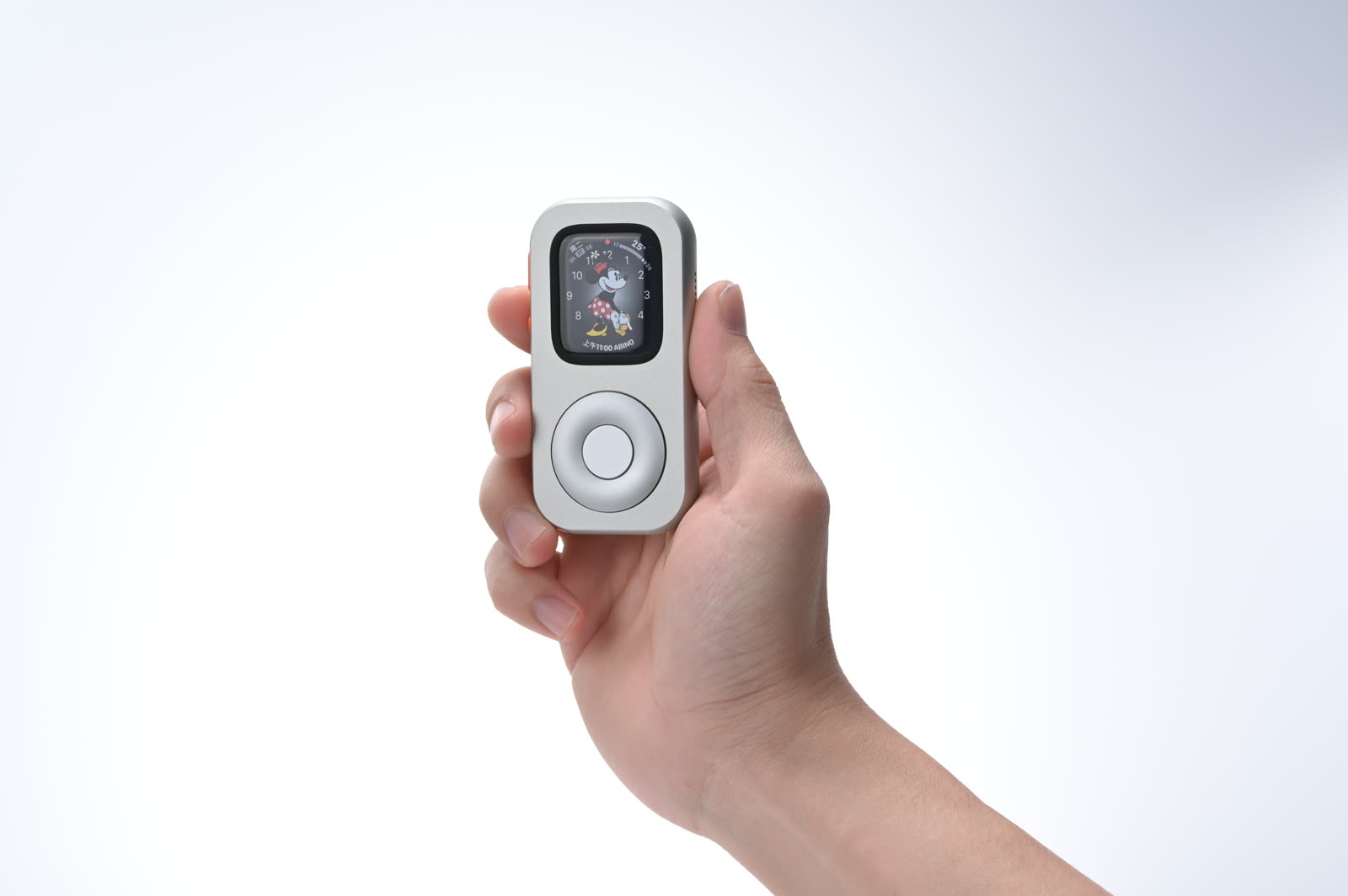
RePod can hold listed compatible Apple Watch models in a compact handheld form. It remains a physical case: the Watch provides the screen, battery, apps, connectivity and services. Check the exact generation and case size in the current selector, and keep wrist-dependent features out of any off-wrist promise.
Frequently asked questions
Can I give an Apple Watch to someone who uses a different iPhone?
Yes, after you unpair the Watch, remove Activation Lock and confirm that their iPhone and iOS support that Watch and watchOS combination. The recipient then pairs it as their own device.
Can a child use my old GPS-only Apple Watch without an iPhone?
Apple Watch For Your Kids requires an eligible cellular Apple Watch under Apple’s current requirements. A GPS-only model does not meet that cellular hardware condition. Direct personal pairing generally requires the recipient’s compatible iPhone.
Should I leave the cellular plan on the Watch?
The correct choice depends on whether you will keep the plan, transfer service or cancel it. Apple’s unpairing flow presents a plan choice, while actual cancellation or transfer may require the carrier. Confirm billing and eligibility directly with the carrier.
Can RePod make an ineligible Watch work with Apple Watch For Your Kids?
No. RePod does not change the Watch model, cellular hardware, account, carrier, region or software eligibility. It only changes the physical way a listed compatible Watch can be held.
A successful handoff feels ordinary after the first day: the Watch belongs to the new owner, the old account is gone, the features work as expected, and charging fits their routine. Careful checks before the gift create that simplicity.
Sources
Family setup references
A focused family hand-me-down
Give a compatible Watch a clear second role.
Complete the ownership handoff first. Then compare the exact Watch generation and case size with the current RePod selector.