

Future possibility · Games, pocket agents, voice and controls
What Happens When Apple Watch Leaves the Wrist?
A pocket-held Apple Watch invites new ideas for play, AI interaction, voice prompts and thumb-led controls.
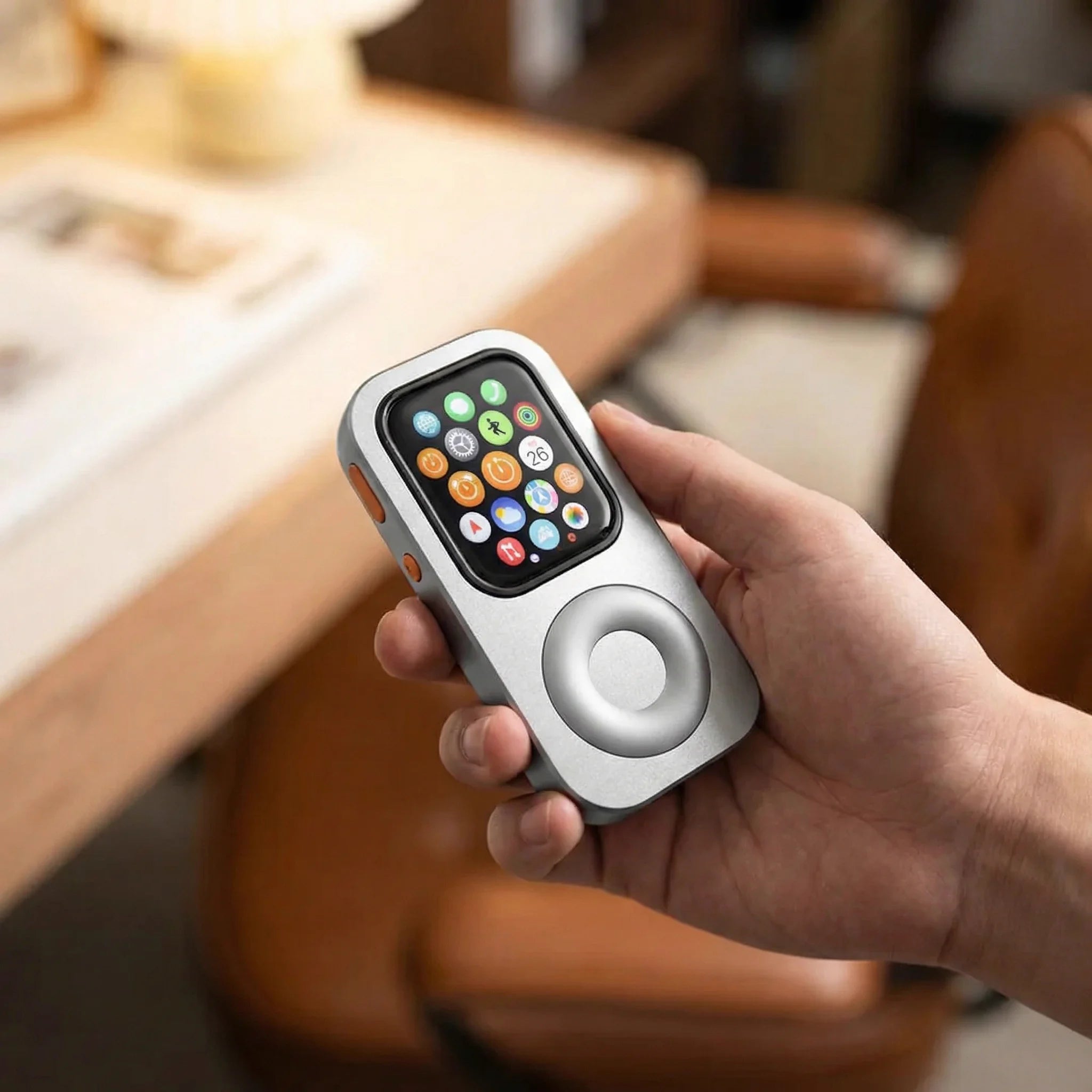
A Watch built for quick glances takes on a different posture in the hand. RePod places the screen above a wheel-shaped thumb surface, opening a playful question: what could a pocket-held Apple Watch be used for next?
Games in your pocket
Apple Watch has its own App Store and supports apps that can run on the Watch when the model, watchOS version, account and app requirements are met. Each game has its own compatibility and control limits. Explore watchOS apps ↗ How independent Watch apps work ↗
A handheld position gives the thumb a steadier place to approach the screen and wheel-shaped surface. That can make short puzzles, turn-based play and circular gestures interesting design directions.
Watch_Quake by ByteOverlord
Watch_Quake is a separate Apple Watch game with its own installation requirements and known issues; it is not included with RePod. See Watch_Quake on GitHub ↗
Imagine a short game that uses circular thumb movements for scrolling or selection. The game and controls would need a compatible Watch app; RePod does not include game software.

Pocket agents that connect to work elsewhere
A small screen can work as a compact front end while the heavier task runs on another device or service. Two independent projects show how builders have approached that idea on Apple Watch.
Pinch by Josh Kappler
Pinch turns Apple Watch into a compact remote for a Claude Code session running on a Mac. Its setup uses a Mac, a secure tunnel and an access token. It is a separate project and is not included with RePod. See Pinch on GitHub ↗
Q007 by Chris JK
Q007 pairs a Watch app with an iPhone companion for quick prompts to AI services you connect. It requires compatible software, provider access and your own credentials. It is a separate project and is not included with RePod. See Q007 on GitHub ↗
A pocket agent could use the Watch as a small prompt-and-response screen while another computer or cloud service handles the larger task. That experience would need its own app, network, accounts and security setup.

Voice and Siri interaction close at hand
Apple’s watchOS 27 and Siri AI preview
Apple previews Siri and Apple Intelligence experiences for supported Apple Watch models in watchOS 27. Preview timing, beta status, supported Watch and iPhone models, a nearby iPhone, language and region can all affect availability. These details can change before release, so check Apple’s current page. Check Apple’s watchOS preview ↗
A pocket-held voice moment could be simple: raise RePod, speak a short request and read the answer on the Watch. Siri and Apple Intelligence come from Apple devices and software; RePod does not include AI software.

New gestures for a thumb-led form
On the wrist, the other hand usually taps a small screen from above. In RePod, the device can rest in the palm while the thumb approaches from below. That posture suggests circular scrolling, short presses and quick movement between the wheel-shaped surface and the Watch display.
Future Watch apps could explore wheel-led menus, game controls and agent shortcuts. Those experiences would require separately developed software made for the exact Watch and controls. RePod changes the physical form; Apple Watch, watchOS and connected services provide the digital experience.
A familiar device, held with new intent
The most interesting shift begins with posture. A compatible Apple Watch can move from a wrist glance to a pocket-held moment for play, a quick agent request, a voice prompt or a thumb-led interaction. The Watch and any separately installed apps provide each digital experience, while RePod gives the device a new physical role in the hand.
Explore the apps and ideas
Pocket-held possibilities